Packaging Artwork Checklist: Dielines, Foil and Proofs
Quick answer
A packaging artwork file checklist should confirm the drawing revision, print separations, finishing artwork and approval evidence before files reach production. For a rigid box, the finished outside size is not a wrap template. In our 24-truffle quotation, four-plus-one-colour printing, gloss lamination and a gold-foil embossed logo were specified, but the artwork and finishing details still needed approval.
By Hugo He · Custom Packaging Consultant, MTT Packaging · Updated 2026-10-27
Packaging design reference. Final fit, materials and finish are confirmed on an approved sample.
At a glance
Use this packaging artwork file checklist to separate print, foil and emboss instructions, check the exported PDF and approve the right proof.
The MTT brief: several processes behind one gold logo
Our 7 October 2026 quotation describes a rigid drawer box for 24 truffles. Its finished outside dimensions were 220 × 160 × 30 mm. The wrap and lining were specified as 157 gsm C2S paper over 1200 gsm greyboard, with offset printing described as “4+1 colours,” gloss lamination, and a gold-foil logo with an embossed finish.
The same record required approval of the colour and foil/emboss artwork before production. It does not contain a final artwork file, an approved die or a signed production sample. This article uses that real quotation to explain the handoff we would require; it does not report a completed print run.
Quoted item
What the artwork handoff must resolve
220 × 160 × 30 mm outside size
Separate converter-issued wrap and lining drawings, with revisions and orientation
Offset printing: 4+1 colours
Which face receives each ink set and what the single colour is; the shorthand alone is insufficient
Purple / burgundy to approved brand artwork
Colour reference, output condition and the proof used for approval
Gold foil with embossed finish
Foil area, relief area, their alignment and the converter's proposed tooling sequence
Gloss lamination
Selected laminate and compatibility with the finishing sequence
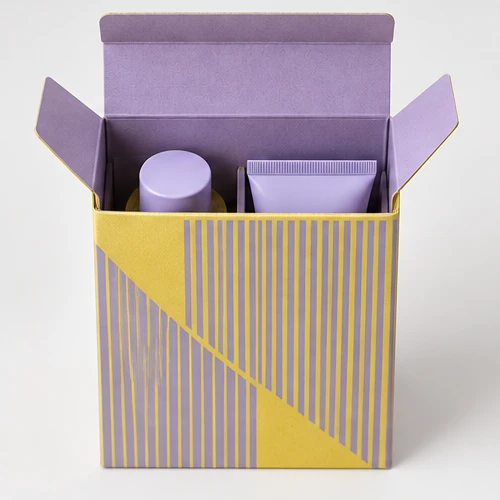
The opening image is a general drawer-box illustration, not a photograph of this customer's packaging. Customer identity and commercial prices are withheld.
02
Start with the converter’s drawing, not a box-size rectangle
A 220 × 160 mm rectangle copied from the quotation is not a production dieline. A rigid-box wrap must also account for the board construction, folds, turn-ins and joins. The sleeve and inner tray need their own identified components. Ask the converter for the current drawing before positioning artwork.
Confirm scale and units, finished viewing faces, fold directions and the relationship between sleeve and tray. Keep cut, crease and reference information distinguishable from printable content using the converter's agreed file convention. A technical line that remains on an output plate can become an unintended printed line.
Bleed and safe areas belong to that drawing and production method. Do not apply a universal bleed value to every rigid-box component. At a wrapped corner, artwork can turn onto another face; check a folded mock-up before approving the position of a border or logo. Structural fit belongs in the separate drawer-box fit review.
03
Separate printed colour, foil and relief
A gold-coloured shape in a PDF can describe a visual intention without specifying a foil operation. Supply the finishing artwork as clearly identified vector areas, with names and separation settings agreed with the converter. Keep a composite reference so the reviewer can see where those areas belong.
For this quotation, we would ask whether the foil and embossing cover exactly the same logo and how the converter intends to align them. Do not assume that “gold foil with embossed finish” fixes the die design, relief depth or number of production passes. Small counters, narrow gaps and the distance from folds need review on the chosen wrap and laminate.
Foil shade and process-ink colour are also separate decisions. A screen preview cannot approve a metallic appearance. For a coordinated set, the box-and-bag foil matching guide addresses the material comparison rather than file preparation.
04
Inspect the exported PDF, not just the source artwork
Export can change what reaches prepress. Review the actual delivery PDF at its intended size, even if the source document looked correct. Agree the PDF preset and colour handling with the receiving converter instead of choosing a preset only because its name contains “print.”
Adobe's Output Preview documentation describes separation previews and colour warnings. Use these checks to inspect which objects appear on each plate and how overprinting affects overlapping content. They help find file issues; they do not simulate foil texture or prove a finished box will match a display.
Check in the delivery file
Reason to stop and revise
Component name, revision, scale and page dimensions
A sleeve file is paired with an older tray drawing, or export has changed scale
Fonts and text
Missing or substituted type, altered wording, or outlines that no longer match the approved reference
Placed images at final size
Missing links or insufficient effective resolution for the converter's agreed requirement
Process inks and named finishing separations
A foil area appears only as CMYK artwork, or unintended duplicate spot plates remain
Overprint and knockout behaviour
An object disappears or changes when separations and overprint are previewed
Bleed, folds, joins and nonprinting technical marks
Artwork ends too early or a reference line remains in printable output
Use the converter's overprint instructions for the relevant separation. Blanket overprint settings can create different errors from the ones they were meant to prevent. Keep an editable source copy and the exact exported PDF together, with matching revision identifiers.
05
Approve each proof for the question it can answer
A PDF proof is useful for text, placement and separation review. A structural white sample checks construction and product fit. A decorated sample on the intended materials is needed to assess the proposed colour, foil appearance, relief and interactions with lamination. Treating one of these as approval of all three leaves gaps.
For the quoted chocolate box, our proposed release record would identify the sleeve and tray drawings, artwork revision, print reference, foil reference and decorated sample. It would also record any pending change. These are recommended checks, not evidence that the customer has already approved them.
Have the converter list the files and revisions it will use.
Review the exported separations and a folded placement reference.
Confirm the decorated sample scope, including any materials that differ from production.
Record who approved which item, on what date, and what remains open.
If the artwork, wrap, laminate or tooling changes, review the affected approval again.
The wider sample approval process covers product fit and production release. This checklist covers the files and proof references that should accompany it.
06
Sources and case scope
Case figures come from the MTT quotation dated 7 October 2026. The source record was rechecked on 27 October 2026; it supports quoted materials, dimensions, decoration and pending approvals, not measured manufacturing results.



 Bank Transfer
 PayPal